A hands-on test-drive checklist for automatics and manuals, plus a simple OBD-II scan. Detect slipping, rough shifts, hesitation, and fluid red flags before ...
Used Car Buying Guide
How to Use an OBD2 Scanner When Buying a Used Car
Learn how to use a cheap OBD2 scanner on a used car test drive: read codes, check pending faults, and use readiness monitors to spot recently cleared check engine lights.

Ben Sullivan
Ben Sullivan is a former ASE-certified mechanic with over 15 years of experience inspecting, repairing, and appraising used vehicles. He contributes to Car Wise Guide to help everyday buyers navigate the used car market with confidence, armed with the knowledge to spot hidden red flags and negotiate fair prices.
Published October 18, 2026
Updated October 18, 2026
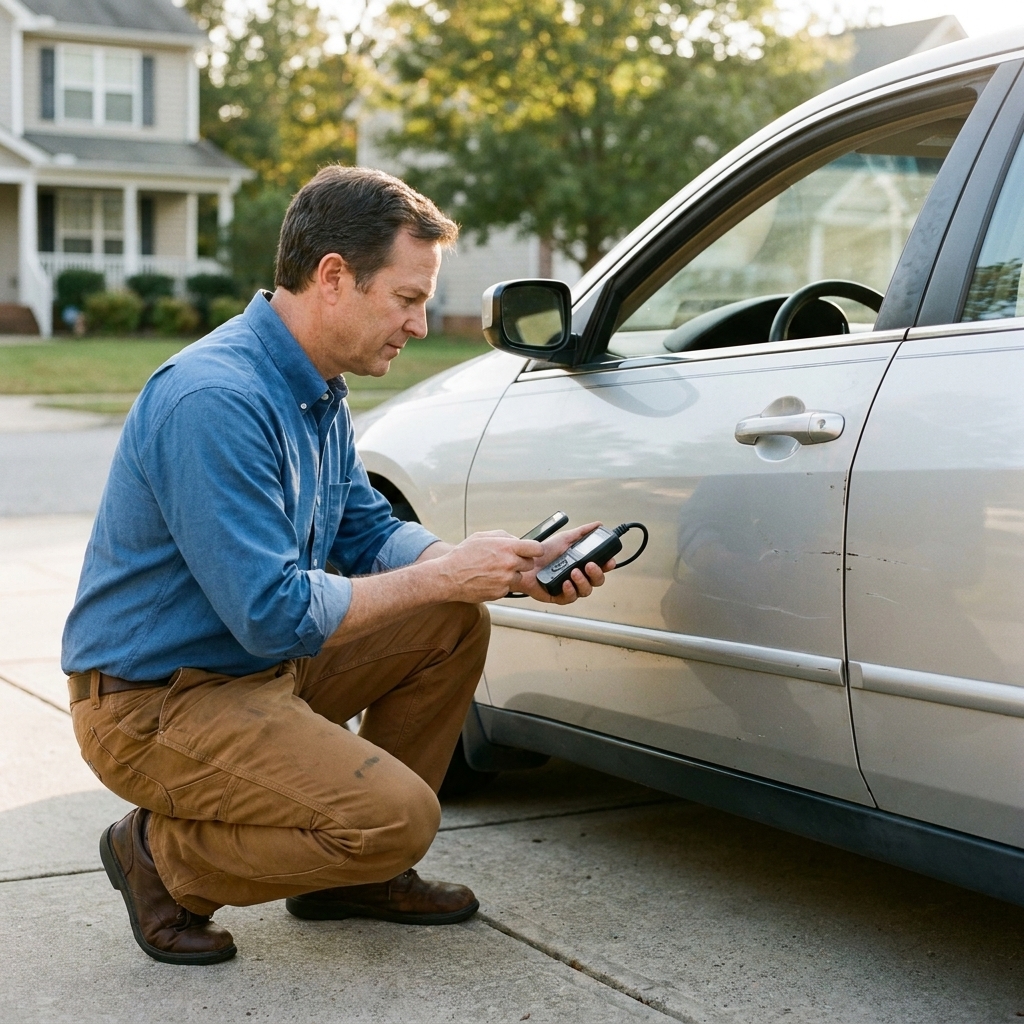
An OBD2 scanner is one of the cheapest pieces of “insurance” you can bring to a used car test drive. In about five minutes, it can uncover a lot: stored trouble codes, pending issues, and clues that a seller recently cleared codes to make the dash look clean.
I love a good test drive and a careful walkaround, but modern cars store a lot of truth in the computer. Your job is not to become a master technician in a stranger’s driveway. Your job is to spot red flags early, so you do not buy someone else’s expensive problem.
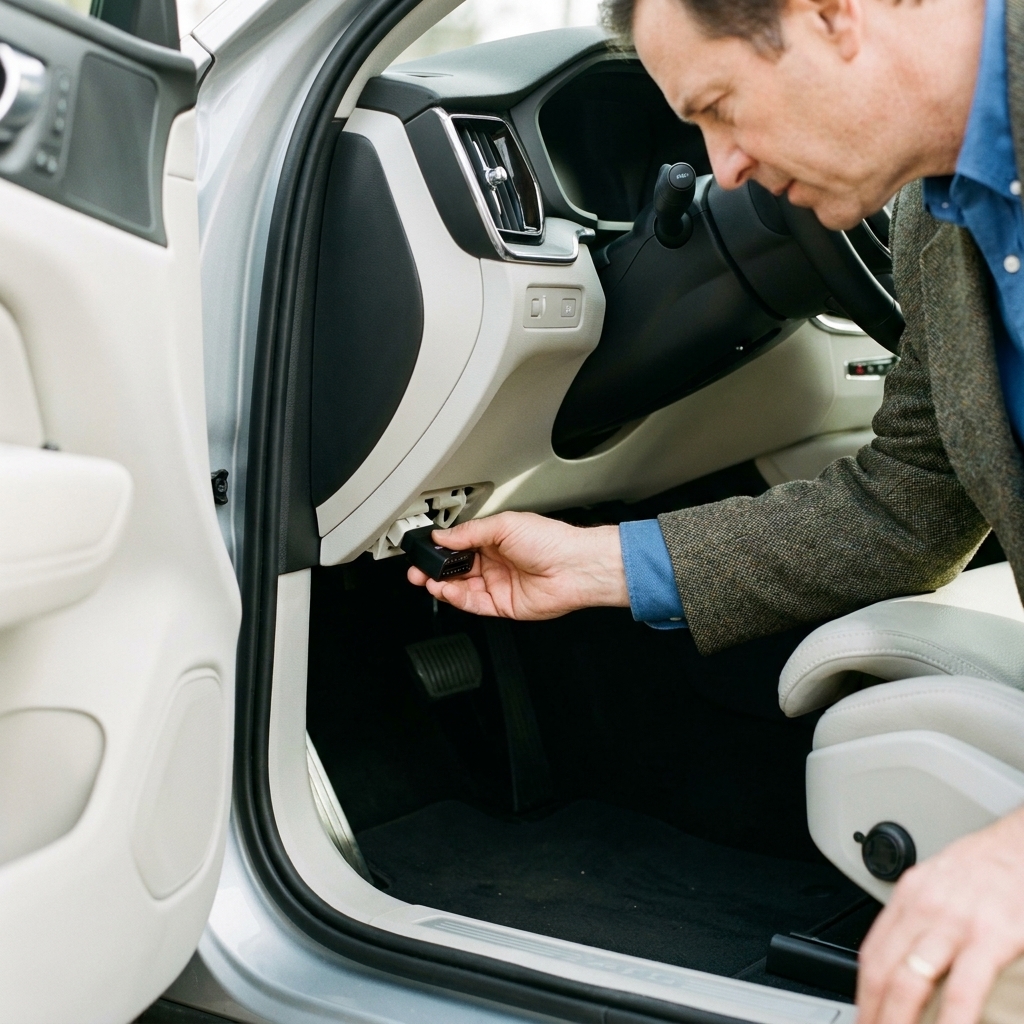
What a scanner can and cannot do
It can help you:
- Read stored trouble codes (the ones that usually turn the check engine light on)
- See pending codes (problems the computer has noticed but has not confirmed yet)
- Check I/M readiness monitors (a big clue if codes were recently cleared)
- View basic live data on many scanners (coolant temp, fuel trims, O2 sensor activity, etc.)
- Check freeze frame data on some tools (what the engine was doing when the code set)
It cannot:
- Guarantee the car is “good” just because there are no codes
- Catch every mechanical issue (bad brakes, worn suspension, low compression, transmission slip that has not triggered a code)
- Replace a real pre-purchase inspection when the stakes are high
Think of the scanner as truth serum for dash lights. It is a clue generator, not a verdict. It makes it harder for a problem car to hide, but it does not make the car perfect.
What to bring
Option 1: Bluetooth dongle plus app
Great for used car shopping because it is compact and fast. Look for a reputable brand and an app that clearly shows pending codes and readiness monitors.
One caution: cheap no-name ELM327-style dongles are a gamble. Some are flaky, slow to connect, or limited in what they can read. Many also only cover basic generic powertrain info, which is fine for shopping, but it is not the same as a factory-level scan tool.
Option 2: Handheld code reader
Simple, no phone needed. The key is making sure it can display:
- Stored codes
- Pending codes
- I/M readiness status
If a tool only reads codes and clears codes, it is better than nothing, but it can miss the exact “recently cleared” trick you are trying to catch.
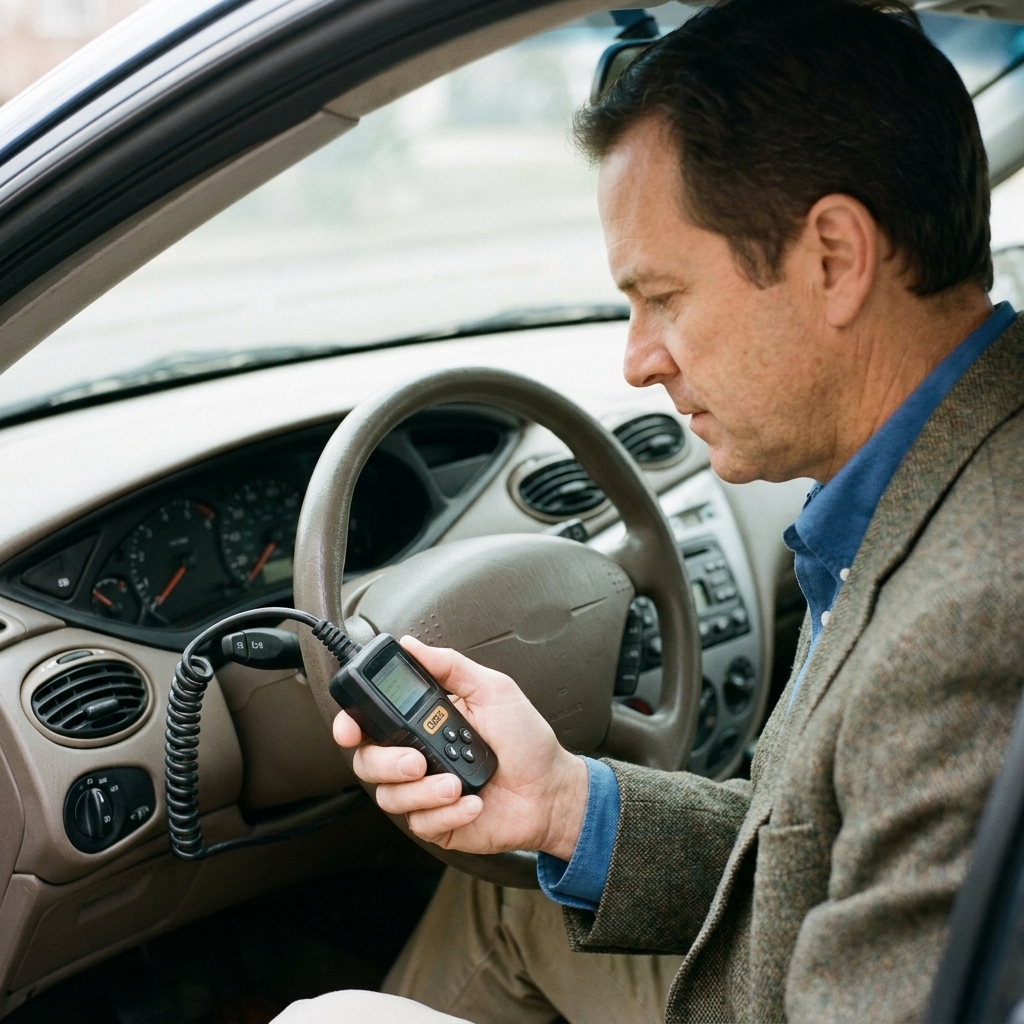
How to scan a used car
1) Find the OBD2 port
On most cars (1996 and newer gasoline vehicles in the US), the port is under the dash on the driver’s side. Common spots:
- Just above the pedals
- Under the lower dash trim near the steering column
- Near the hood release area
If you have to fight for 10 minutes, that is a yellow flag. The port should be accessible. When I see one buried behind broken trim, I start wondering what else was “worked on” carelessly.
2) Key on, engine off first
Plug the scanner in. Turn the key to ON (or press the start button without your foot on the brake on many push-button cars). This powers up the computer and the scanner.
If the scanner will not connect, try:
- Turning the key fully to ON
- Wiggling the connector gently (it should feel snug, not loose)
- Trying again with the engine running (some cars behave better that way)
- Checking for a blown fuse (many cars power the OBD port through the same fuse as the 12V outlet)
- Looking for an aftermarket device already plugged in (insurance tracker, fleet tracker, remote start module) that may be interfering
3) Pull codes in this order
Go stored codes first, then pending, then history or permanent if your tool offers it. Here is what you are looking for:
- No codes at all: good sign, but keep going to readiness monitors
- Stored codes: the computer is confident there is a problem
- Pending codes: the computer is suspicious and gathering evidence
- Permanent codes (if your tool shows them): these may remain even after clearing until the vehicle completes specific self-tests that confirm the issue is gone
If you see codes, take a screenshot or write them down exactly, like P0420 or P0302. The code number matters more than the generic description.
Also, do not panic if you see a letter you do not recognize. For most used car shopping, P-codes (powertrain) are the baseline. Some scanners may show U-codes (network/communication) or B and C codes (body and chassis). Those can matter, but they can also be tool-related, low-voltage related, or harder to interpret without better equipment.
4) Check readiness monitors
This is the step most buyers skip, and it is where the value is. Readiness monitors tell you whether the car has completed its self-tests since the last time codes were cleared or the battery was disconnected.
What you want to see: most monitors show READY (or COMPLETE). One “not ready” monitor is common on some cars, especially after short trips, cold weather, a recent battery replacement, or a drive cycle that simply has not hit the right conditions yet.
Important nuance: “warmed up” does not automatically mean monitors will be ready. Some monitors need specific conditions, like steady highway cruising, a cold start, certain fuel level ranges, or multiple trips.
Why it matters: clearing codes often turns the check engine light off temporarily. But it also resets readiness monitors to “not ready.” So a seller can make the dash look clean, but the readiness screen tattles.
Big red flag pattern:
- No check engine light on
- No stored codes
- Multiple monitors “NOT READY”
That combination often means “someone cleared codes recently” or the battery was disconnected. Maybe they fixed something. Maybe they did not. Your next move is to slow down, ask direct questions, and get a real inspection before money changes hands.
Bonus reality check: in many states, too many “not ready” monitors can fail an emissions inspection. Even if the car feels fine today, that can become your problem next week.
Common code groups
One rule that will save you money: a code usually points to a system, not a specific part. The scanner is telling you where to look, not what to buy.
Misfires (P0300, P0301 to P0308)
Misfires can be cheap or very expensive. It might be spark plugs or coils. It can also be compression problems, fuel delivery issues, or coolant leaking into a cylinder.
My rule: if you see a misfire code on a used car you are about to buy, do not “hope it is just plugs.” Get it diagnosed or walk away.
Catalyst efficiency (P0420, P0430)
This is one of the most common deal-killers because catalytic converters can be pricey. Sometimes it is an exhaust leak or a lazy oxygen sensor. Often it is a worn converter.
Red flag: a fresh “no codes” scan with multiple monitors not ready on a car known for P0420 issues. That can be a recently cleared catalyst problem waiting to come back.
EVAP leaks (P0440, P0442, P0455, P0456)
EVAP codes range from a loose gas cap to cracked hoses or a failing purge valve. Not always a reason to run, but it is a reason to negotiate and inspect carefully. EVAP can also be annoying to track down if the seller is dumping the car because they are tired of chasing it.
Oxygen sensor codes (P0130 to P0167 range)
Could be a bad sensor, wiring issue, exhaust leak, or a symptom of another problem (like a misfire). Treat O2 codes as “needs diagnosis,” not “needs sensor.”
Transmission and driveline codes (often P07xx)
Treat these as high-risk. Some are electrical or sensor-related. Some point to internal transmission issues. Either way, the range of possible repair cost is wide, and you do not want to guess.
If you pull a transmission-related code, I would want a specialist inspection and a clear plan for repair cost before buying.
Pending codes matter
Pending codes are the computer saying, “I noticed something weird once, and I am waiting to see it again.”
Some pending codes never come back and can be a fluke. But when I am helping a buyer, I treat pending codes like a smoke alarm with a low battery: maybe it is nothing, but I am not ignoring it.
How to use them:
- If a car has a pending code, ask the seller what they know about it
- Do a longer test drive with varied conditions (city, highway, steady cruise)
- Re-scan after the drive and see if it becomes a stored code
How to spot recently cleared codes
If there is one “seller trick” I want you to remember, it is this: clearing codes does not fix the car. It only clears the evidence.
Signs the codes may have been cleared recently:
- Readiness monitors show several “NOT READY”
- The battery looks very recently replaced or disconnected, and the seller has a vague explanation
- The scanner shows no codes, but the car runs rough, smells like raw fuel, or idles poorly
What to do next:
- Ask directly: “Have the codes been cleared recently or has the battery been disconnected?”
- Request a longer test drive. Many issues reappear after a full warm-up and varied driving
- If the seller refuses time for monitors to set or refuses an inspection, that is your answer
Quick live data checks
Not every scanner makes live data easy, but if yours does, here are a few quick checks that are practical in a parking lot. You do not need perfection, you are just looking for “way off.”
Coolant temperature
After the car is fully warmed up, many cars run roughly 185°F to 220°F, but the exact target varies by engine and control strategy. Some modern engines run hotter, and some run cooler under certain conditions.
What you are watching for is clearly abnormal behavior: it never reaches normal operating temp, it overheats, or the temperature swings wildly.
Fuel trims
Fuel trims are the computer’s way of adjusting fueling to keep the engine happy.
- Numbers hovering close to 0% are generally healthy
- Consistently high positive trims can suggest a vacuum leak or fuel delivery issue
- Consistently negative trims can suggest the engine is running rich
A common quick heuristic is looking at STFT plus LTFT at idle, then again at steady cruise. Brief spikes are normal. You are looking for a pattern that stays high or low.
Misfire counters
Some apps show misfire counts per cylinder. If one cylinder is racking up misfires during your test drive, that is not “normal.”
If you find codes
Codes are not automatically a deal-breaker. But they are leverage, and sometimes they are a warning siren.
1) Write down the exact codes
Example: “P0420” not just “catalyst.” Code numbers help you research patterns for that make and model.
2) Ask a calm, direct question
Try: “My scanner is showing code P0420. What has been done to address it?”
Watch the response:
- Good sign: receipts, dates, specific parts replaced, honest uncertainty
- Bad sign: “It is probably just a sensor,” “Ignore that,” or irritation that you checked
3) Decide: negotiate, inspect, or walk
- Negotiate items (sometimes): small EVAP leaks, minor circuit codes, older codes with proof of repair and monitors ready
- Inspect first or walk (often): misfires, overheating clues, transmission-related codes, multiple codes across systems, several monitors not ready plus an evasive seller
Do not clear codes
Clearing codes resets information you need, including readiness monitors and sometimes freeze frame data. It can also look suspicious to a seller if you hand the car back and the monitors are wiped.
Your scanner is for reading, not “fixing.” If a seller suggests clearing codes to “see if it comes back,” that is a polite no from me. Either it is fixed with proof, or it needs diagnosis before purchase.
7-point scanner checklist
- Does the scanner connect normally?
- Any stored codes?
- Any pending codes?
- Any permanent codes (if available on your tool and car)?
- Does the check engine light come on with key on, engine off, then go off after start? (Bulb check matters)
- Are readiness monitors mostly ready?
- After the test drive, did anything change when you re-scan?
FAQ
Will an OBD2 scanner work on any used car?
In the US, gasoline cars and light trucks are generally OBD2 from 1996 and newer. Diesel is trickier: many light-duty diesels are OBD2 as well, but requirements phased in later for some models, and heavy-duty trucks can follow different standards. If you are shopping older vehicles or heavy-duty diesels, verify the diagnostic system before you show up.
If there are no codes, is the car definitely fine?
No. A car can have worn brakes, weak compression, a slipping transmission, or accident damage with zero codes. No codes is a good sign, not a clean bill of health.
How many “not ready” monitors is too many?
There is no perfect universal number because rules vary by state, model year, and vehicle. As a buyer, multiple not-ready monitors on a car that has clearly been driven is a red flag. If everything is not ready, assume the computer was recently reset until proven otherwise.
Can a seller hide problems from a scanner?
They can clear codes temporarily. Some issues also will not set a code yet. But it is hard to consistently hide a genuinely unhealthy car from readiness monitors, pending codes, and a solid test drive.
The bottom line
If you are spending real money on a used car, bring an OBD2 scanner. Check for stored codes, check for pending codes, and always check readiness monitors. That three-part routine catches a lot of “freshly cleared” situations that leave buyers holding the bag a week later.
And if your gut says something is off, listen to it. There will always be another car. Your savings, your safety, and your sanity are worth protecting.